Convention Settings
Access Convention Settings from the sidebar of your organiser dashboard.
General Settings
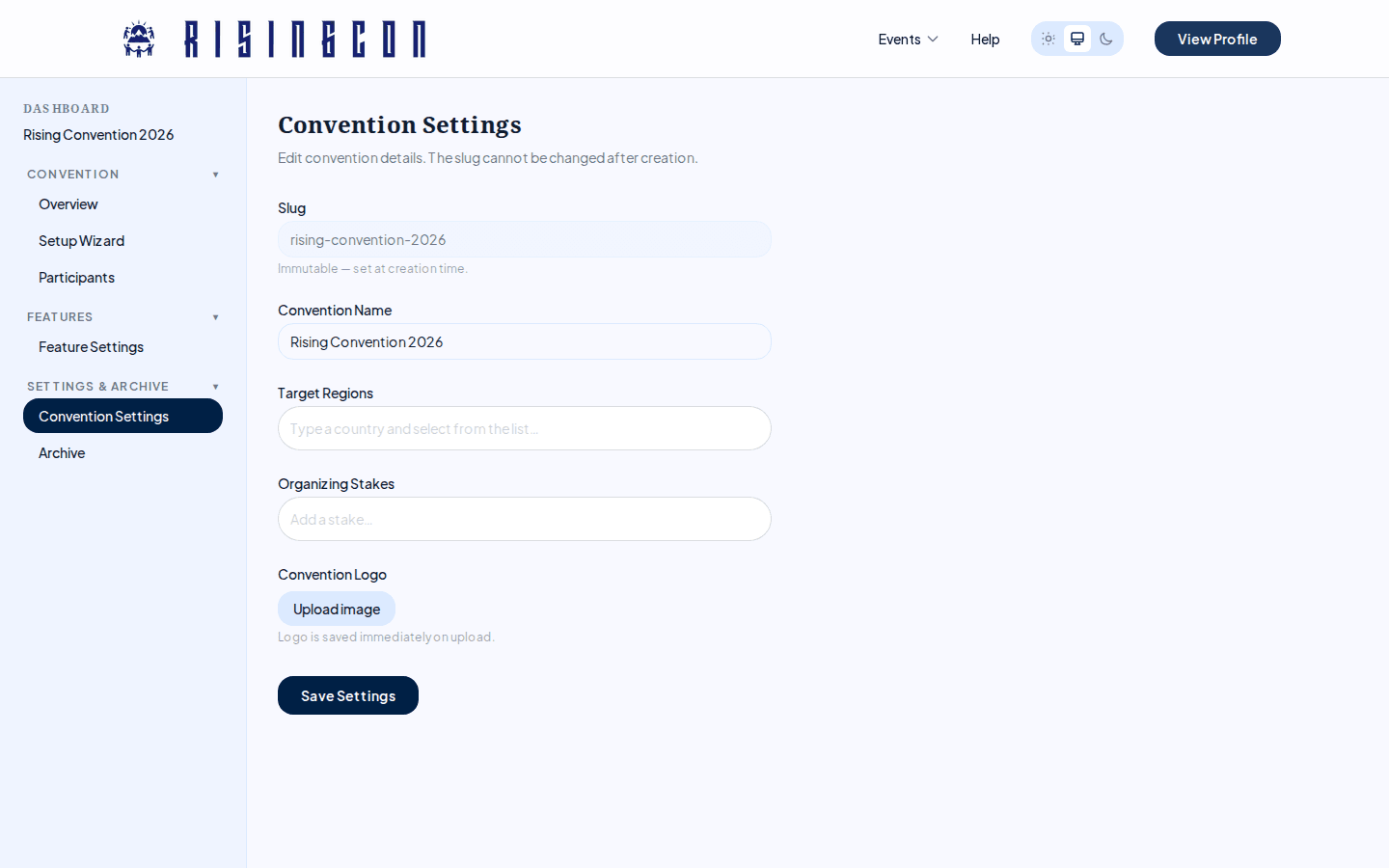 The Convention Settings page showing slug, convention name, target regions, and organizing stakes fields
| Field | Description |
|---|---|
| Slug | The URL identifier. Shown as read-only — it is set at creation and cannot be changed. |
| Convention Name | The public name shown on listings. |
| Target Regions | Countries the convention is aimed at. Used for language suggestions and location autocomplete. Add by pressing Enter or comma; remove with the × button. |
| Organizing Stakes | The organising group(s) or stakes. Same tag input as Target Regions. |
Click Save Settings to persist changes to Name, Target Regions, and Organizing Stakes.
Convention Logo
In the General Settings section there is a Convention Logo upload. Click Upload image (or Change image) to select a file. Accepted formats: JPEG, PNG, WebP. Maximum size: 2 MB.
The logo saves immediately on upload — no need to click Save Settings.
Features
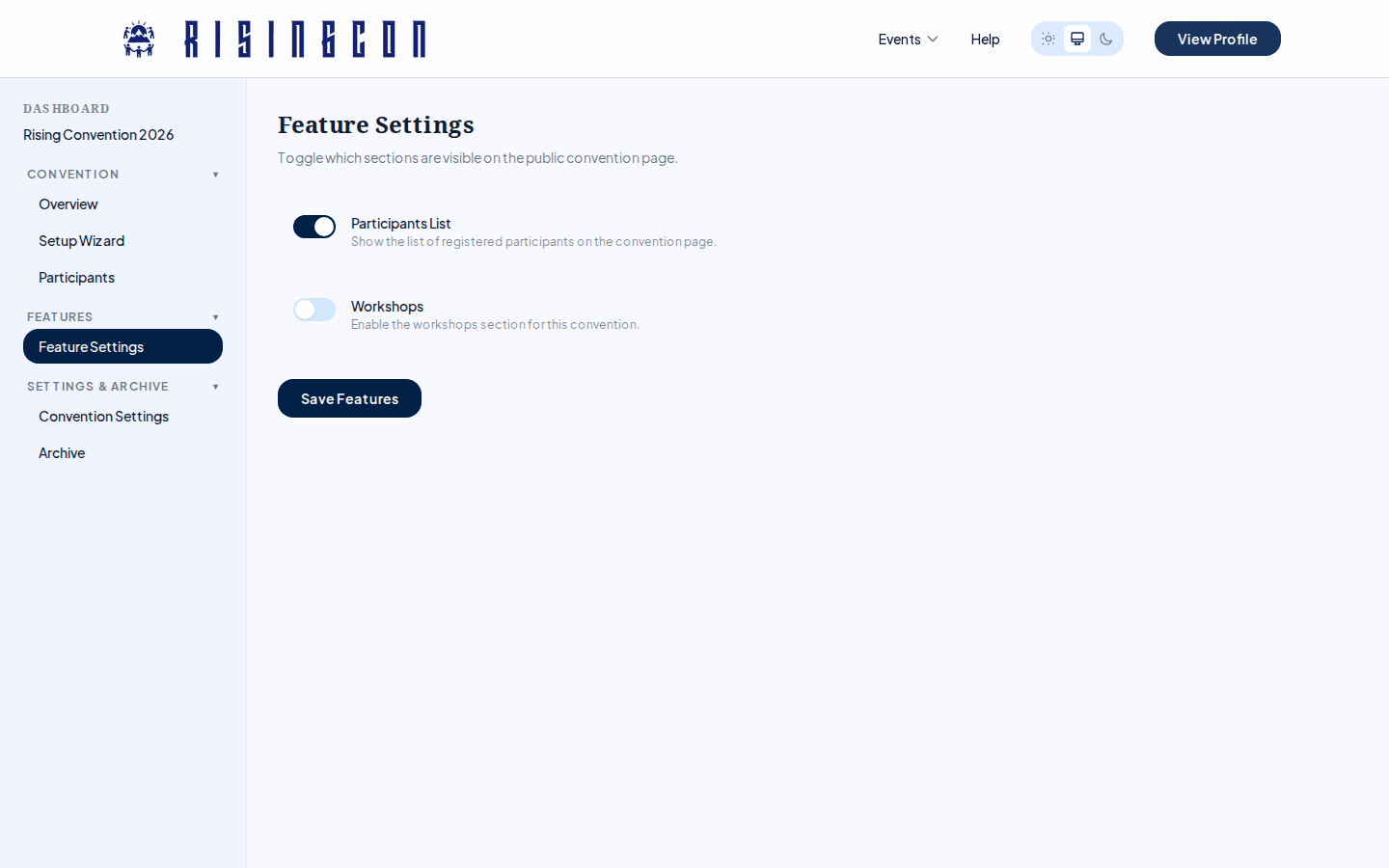 The Features settings page showing toggles for Participants List and Workshops
Go to Features in the sidebar to toggle optional sections on your public convention pages.
| Feature | What it controls |
|---|---|
| Participants List | Shows a public list of registered participants on the convention page. |
| Workshops | Reserved for an upcoming feature — toggling it currently has no effect on the public convention pages. |
Features are locked (read-only) once the convention run status is Finished.
Click Save Features to apply changes.
Convention Status
The convention status is managed from the Overview page, not the settings page. The possible statuses are:
| Status | Description |
|---|---|
| Draft | Not visible to the public. Editing is unrestricted. |
| Pending | Submitted for admin review. Awaiting approval. |
| Approved | Admin has approved the convention. Runs can now be created. |
| Rejected | Admin has rejected the submission. The reason is shown in the overview. You may edit and resubmit. |
| Archived | Removed from public listings. Data is preserved. |
Archive
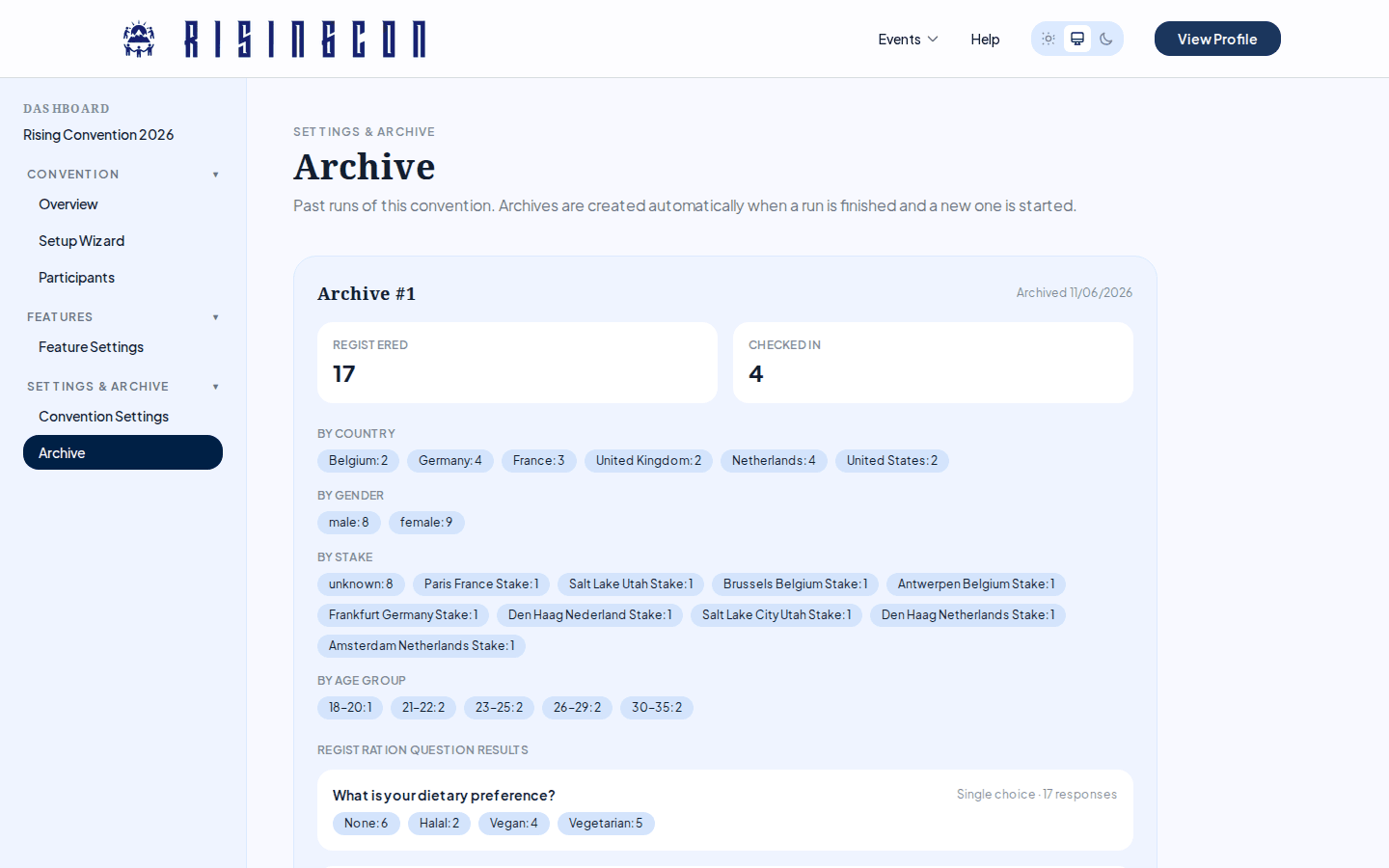 The Archive section showing a past run with registration window, participant counts, and demographic breakdowns
Access Archive from the sidebar to view historical data from past convention runs. Archives are created automatically when a run is finished and a new one is started.
Each archive shows:
- Registration window (open and close dates)
- Total participants registered and checked in
- Participant breakdowns by country, gender, stake, and age group
- Aggregated registration question results — per-option answer counts for Yes/No, Dropdown, and Multi-select questions; for Text questions only the number of responses is kept (free-text content is never archived, to protect participant privacy)
- The schedule from that run
The archive also preserves the organising committee's role list (names are removed at archive time).
Archives are read-only and for reference only.